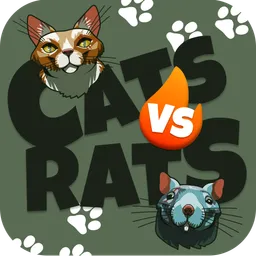
CatsVSRats is a game where you need to out-tap your opponent. For each battle, the user gets coins.
CatsVSRats is a game where you need to out-tap your opponent. For each battle, the user gets coins. The game has ranks, coefficients, skins. If the user wins the battle, his winnings are multiplied by the coefficients and become larger. In case of loss, the user gets only those coins that he tapped during the battle with the opponent. There are only 5 ranks in the game, from "Common Soldier" to "General", but the higher your level, the more difficult it is to pass the battles, the speed of painting the opponent's cells increases in proportion to your level, but your winnings also increase many times over. You can also buy basic skins for the coins you earn, and buy premium skins for Telegram Stars. In the future, it is planned to add a challenge to any user in Telegram to the battle, add a store of weapons that will help in the battle, as well as an auction where NFT exclusive skins will be sold in a single copy. And finally we want to add "Connect to Wallet" for using TON in our App. Thank you
Reviews can be left only by registered users. All reviews are moderated by admins.
5 stars
0
4 stars
0
3 stars
1
2 stars
0
1 stars
1
Wie man anfängt
1
Bot in Telegram öffnen
Klicken Sie oben auf die Schaltfläche "Bot öffnen", um diesen Bot in der Telegram-App zu öffnen
2
Gespräch starten
Drücken Sie den Befehl /start oder tippen Sie auf die Schaltfläche Start, um die Interaktion zu beginnen
3
Funktionen erkunden
Verwenden Sie die Menüschaltfläche oder geben Sie /help ein, um alle verfügbaren Befehle zu entdecken
Häufig gestellte Fragen
Häufige Fragen zu Telegram-Bots
Ein Telegram-Bot ist ein automatisiertes Programm, das verschiedene Aufgaben im Telegram-Messenger ausführt. Bots können Nachrichten senden, Fragen beantworten, Befehle verarbeiten, Arbeitsabläufe automatisieren und Dienste wie Wettervorhersagen, Übersetzungen oder Aufgabenverwaltung anbieten.
Klicken Sie auf die Schaltfläche „Bot öffnen" auf dieser Seite und senden Sie dann /start im Chat mit dem Bot. Folgen Sie den Anweisungen des Bots oder nutzen Sie die verfügbaren Befehle im Menü. Die meisten Bots unterstützen den Befehl /help.
Die meisten Telegram-Bots sind sicher. Geben Sie jedoch keine sensiblen persönlichen Daten, Passwörter oder Zahlungsinformationen weiter, wenn Sie dem Entwickler nicht vertrauen. Prüfen Sie Bewertungen, Rezensionen und Nutzerzahlen vor der Verwendung.
Die meisten Telegram-Bots sind völlig kostenlos. Einige Bots bieten Premium-Funktionen über Abonnements oder Einmalzahlungen an, aber die Grundfunktionen sind in der Regel kostenlos. Prüfen Sie die Bot-Beschreibung für Preisinformationen.
Bots sind interaktive Programme, die auf Befehle reagieren und Aufgaben automatisieren. Kanäle sind Plattformen, auf denen Admins Inhalte veröffentlichen. Mit Bots interagieren Sie (bidirektional), während Kanäle einseitige Kommunikation bieten.
Bot-Befehle beginnen mit einem Schrägstrich (/) wie /start, /help oder /settings. Geben Sie den Befehl ein und senden Sie ihn an den Bot. Viele Bots haben auch eine Menü-Schaltfläche mit verfügbaren Befehlen. Einige fortgeschrittene Bots verstehen natürliche Sprache.